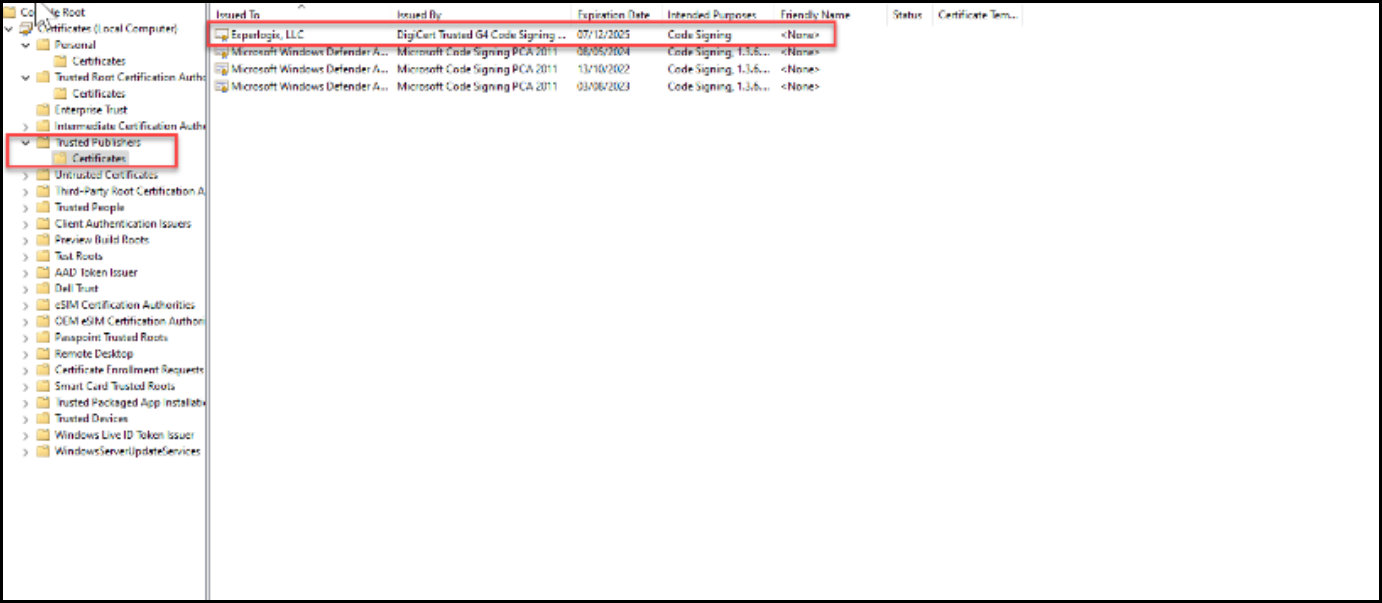
Publisher Certificate for Word Add-In
Sometimes, Windows cannot verify the publisher certificate because strict GPO settings only trust certificates placed in the local Trusted Publishers store. This often happens in locked‑down environments where public CAs are blocked. It can also occur if the machine is missing required Root or Intermediate certificates, breaking the trust chain. Adding the publisher certificate to Trusted Publishers allows the Template Builder to run by overriding these restrictions.
| 1. | On your local system, right click on the file setup.exe > Properties. |
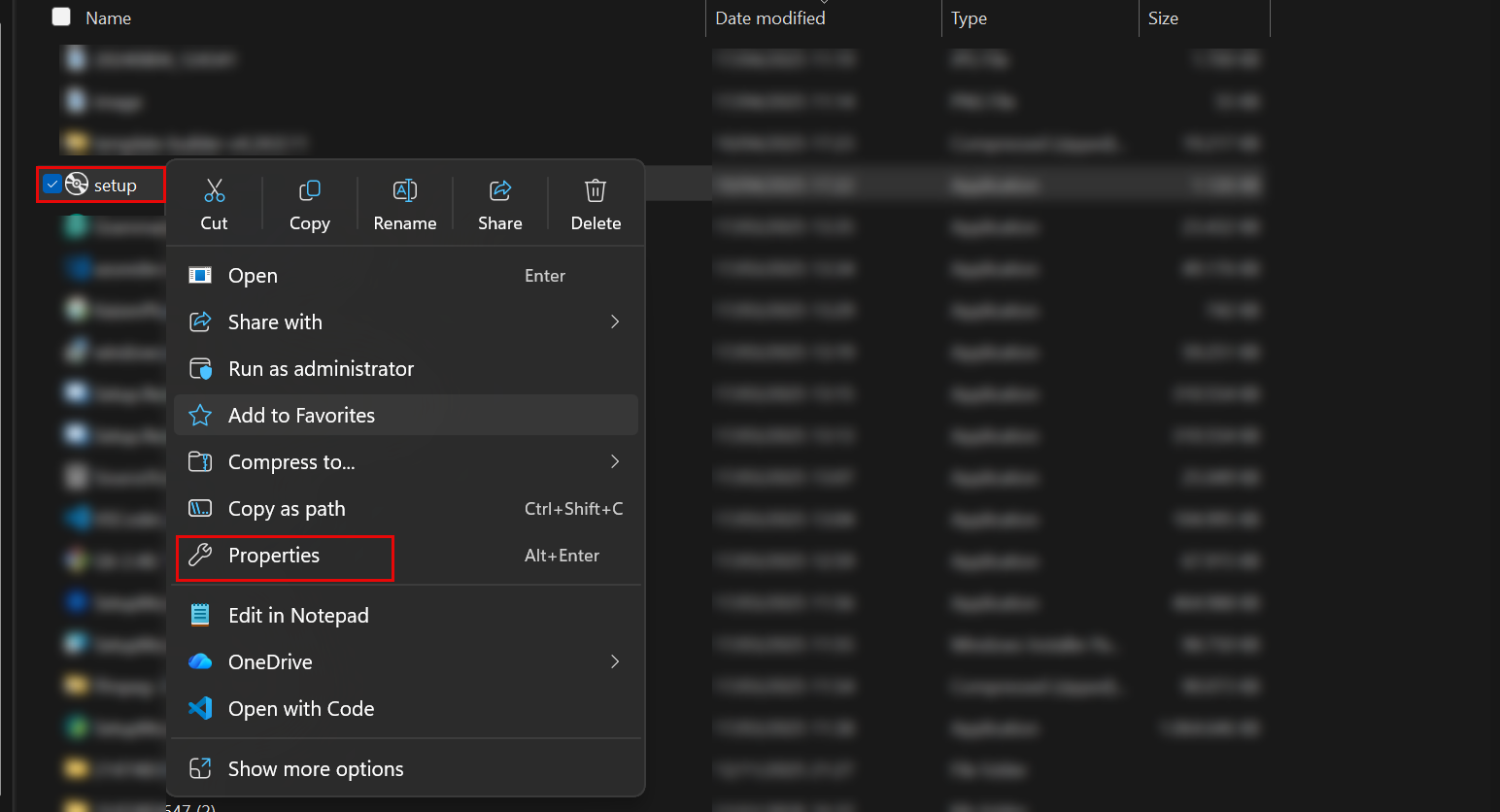
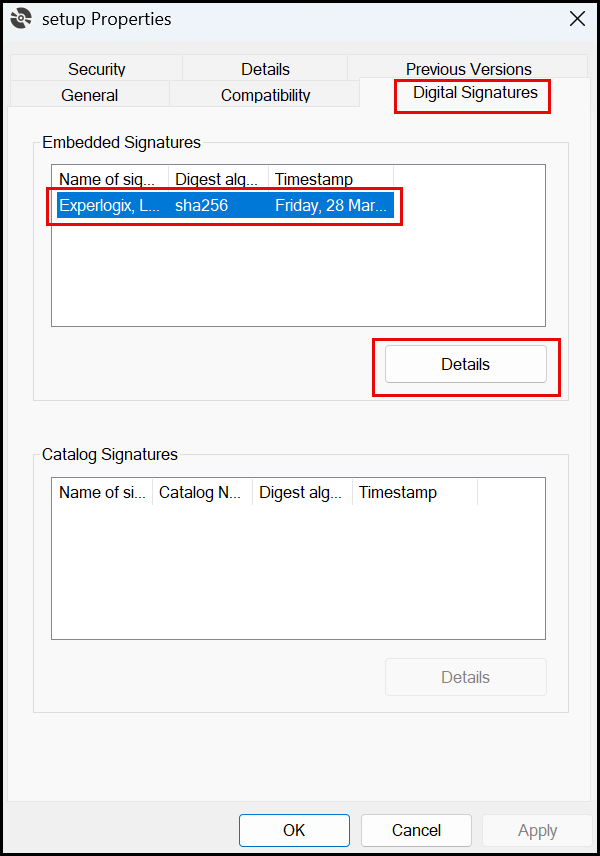
| 2. | Select Digital Signatures > Experlogix Certificate > Details. |
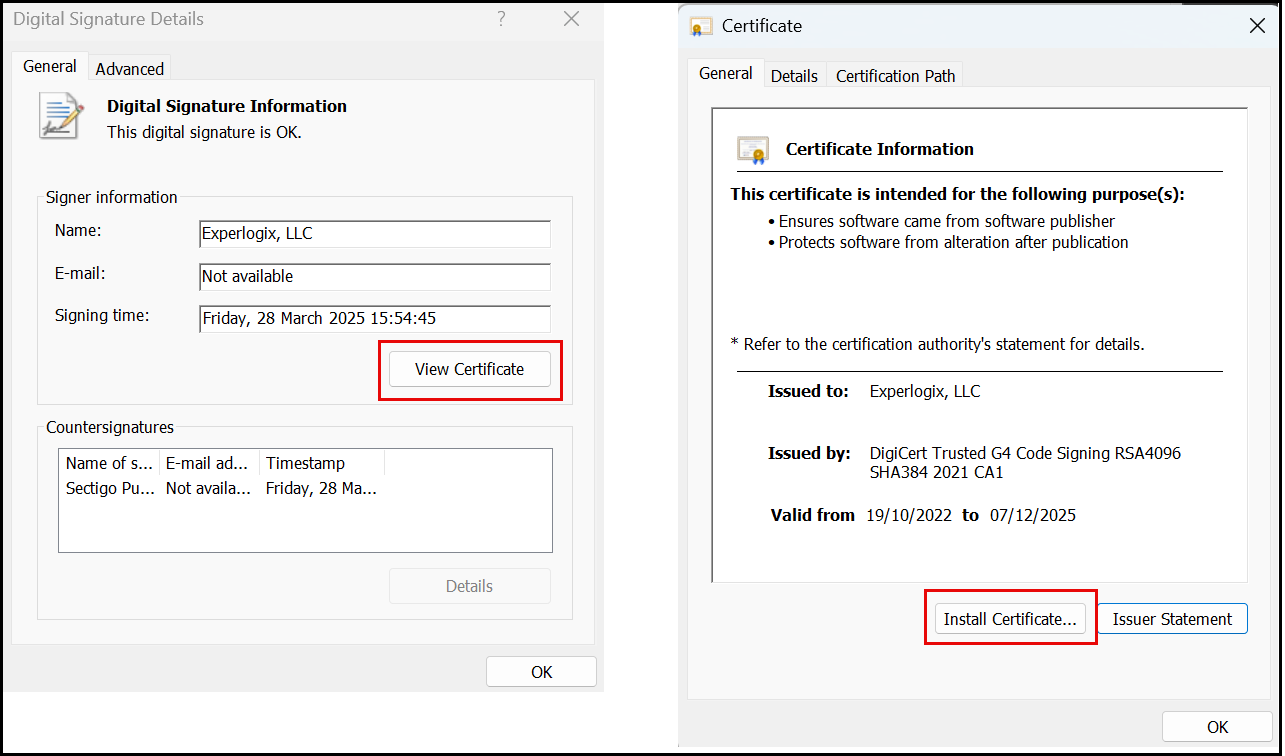
| 3. | Select View Certificate > Install Certificate. |
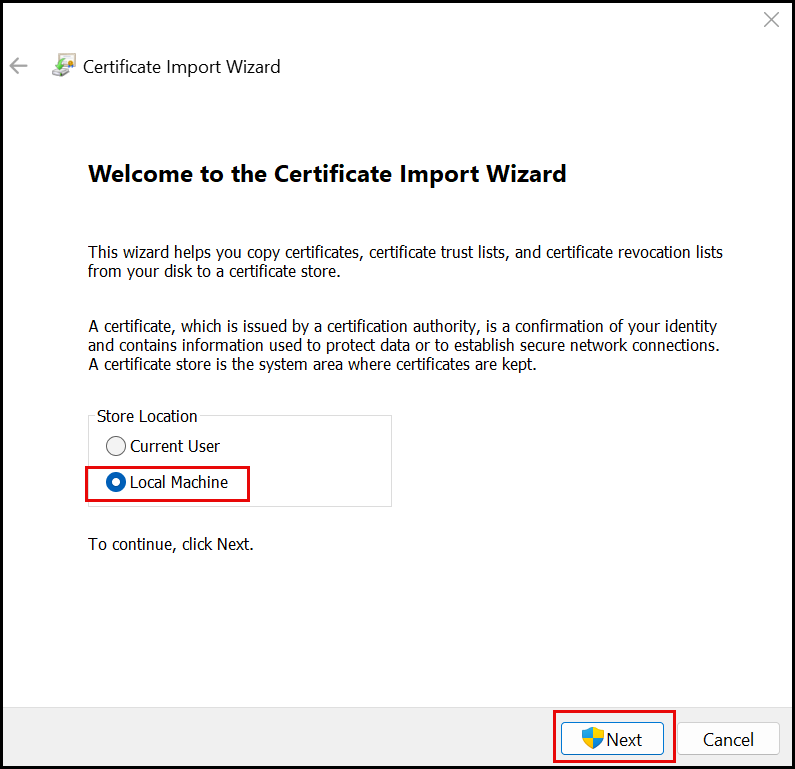
| 4. | Select Local Machine > Next. |
| 5. | Select a certificate storage location > Browse > Trusted Publishers > Next > Finish. |
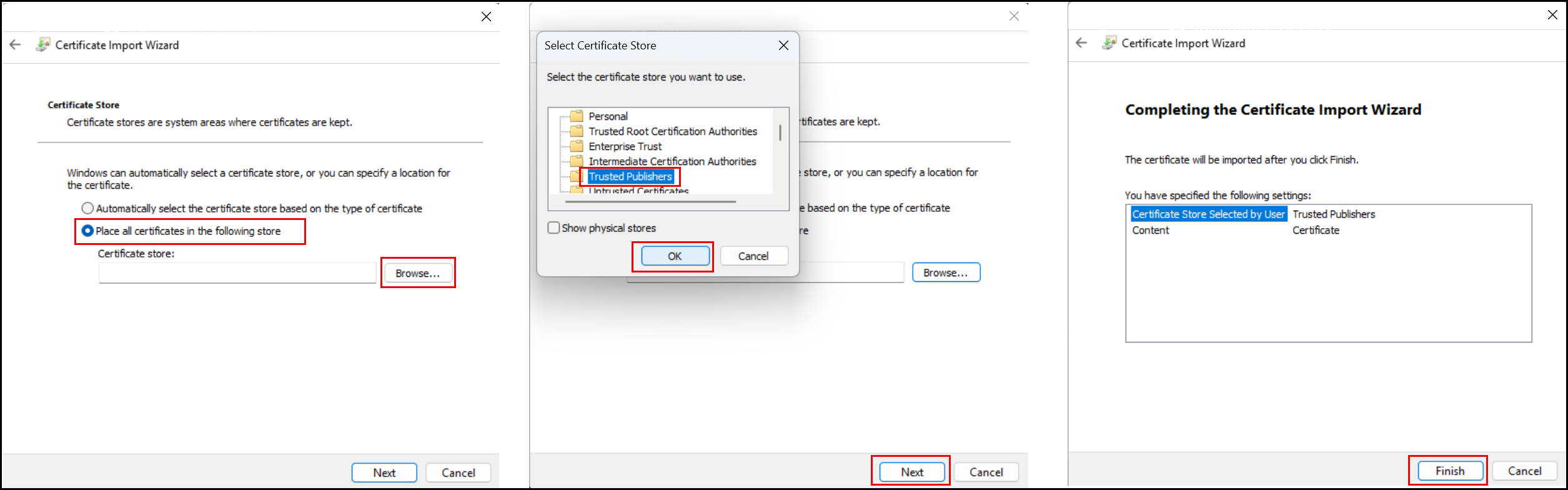
The "The import was successful" message is displayed.
| 6. | Follow the instructions (steps 1-6) in this link: Import and Export Certificate. |
The certificate is available under Trusted Publishers - Certificates.