Data Set Optimization
Data set optimization involves letting Smart Flows analyze and remove any unused fields in the project. Removing these unused fields results in faster project performance by eliminating unnecessary content during data retrieval for previews and during flow execution if the field reducer disabled.
You can view the improvement in the project performance before and after optimization by reviewing the analytics data in the Advanced Tab.
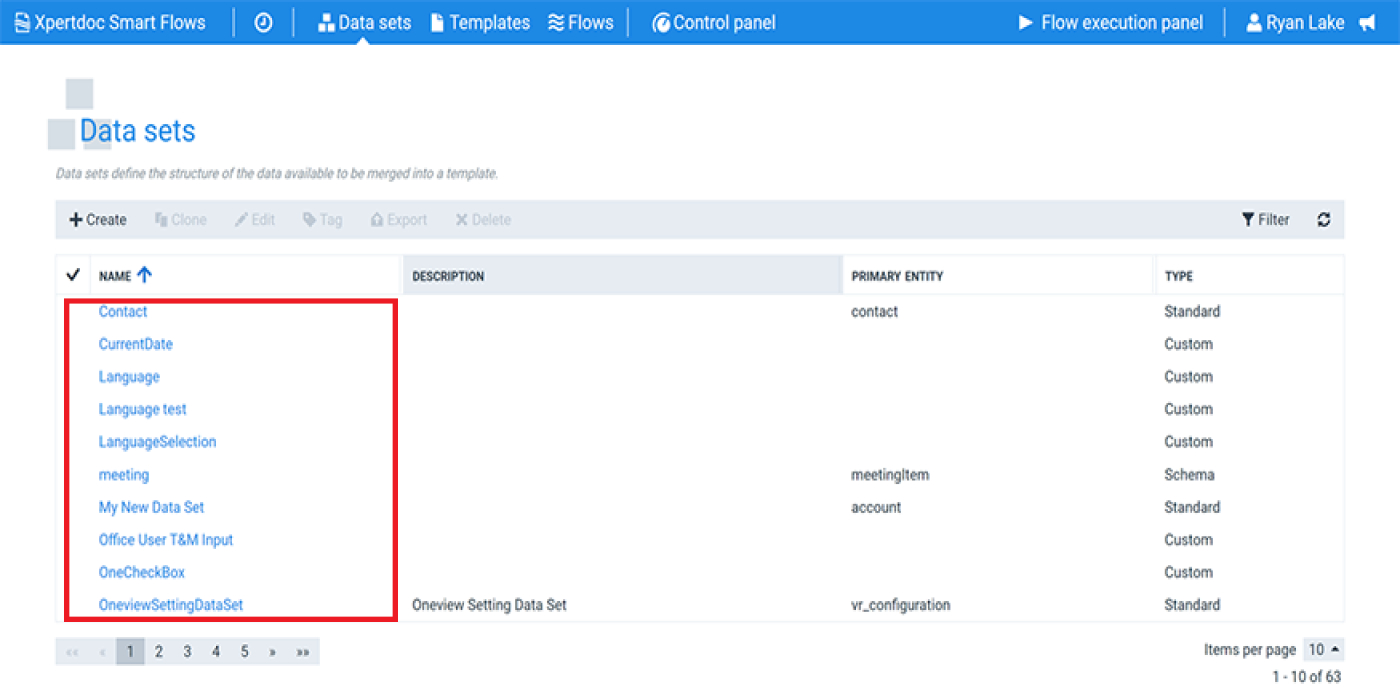
| 1. | In the Project Console, navigate to Data sets and select a Data set. |
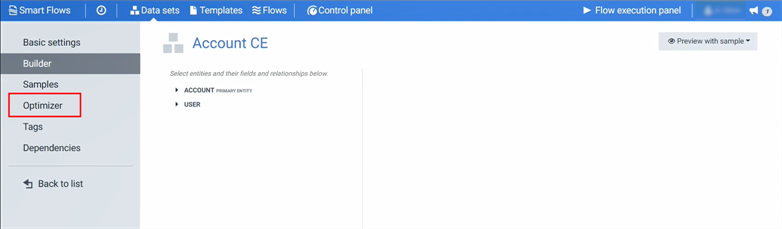
| 2. | Select Optimizer. |
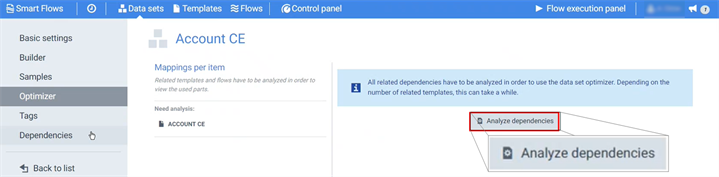
Before optimizing your data set, you must analyze the dependencies to identify the unused fields.
| 3. | Select Analyze dependencies. |
Before optimizing your data set, analyze the dependencies to identify the unused fields.
The analysis process may take a couple of minutes, depending on the size of the data set and how many flows and templates are mapped to the data set.
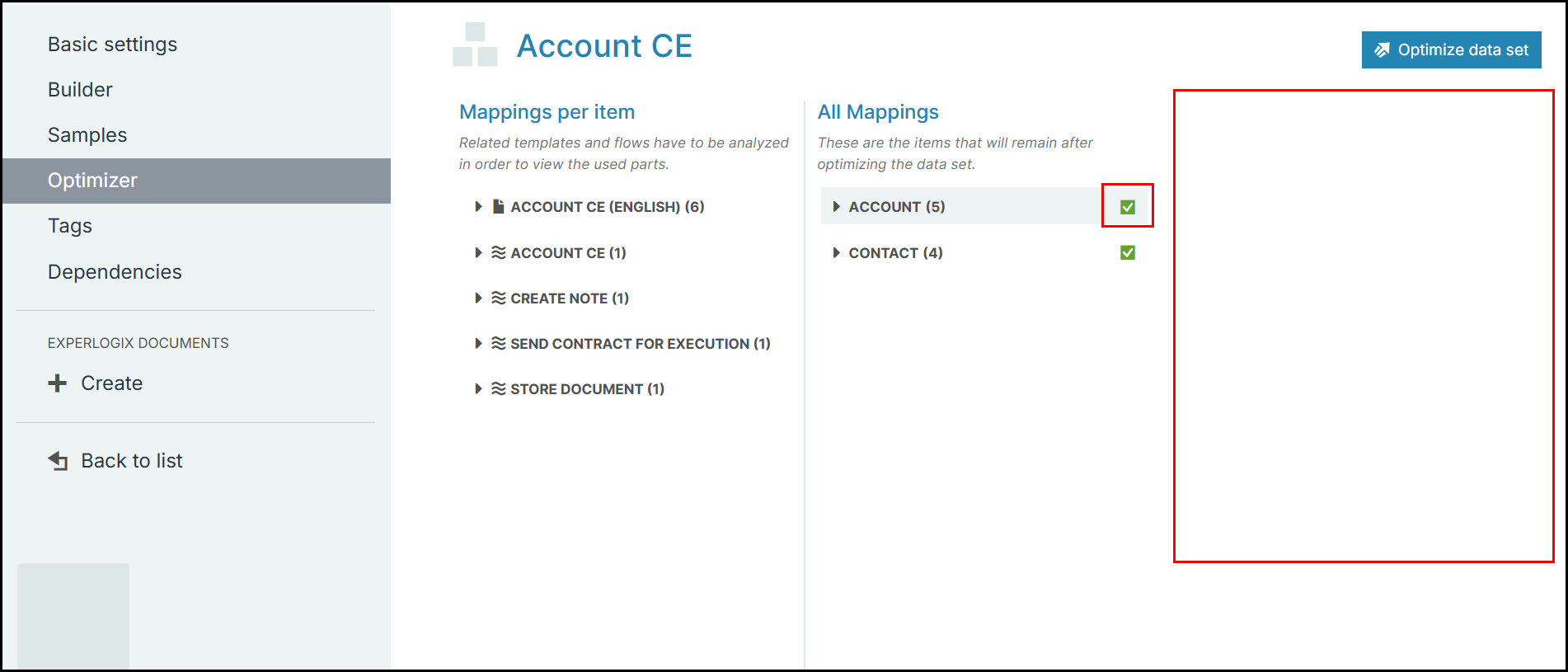
The page refreshes with the results of the analysis.
| 4. | Select Optimize data set. |
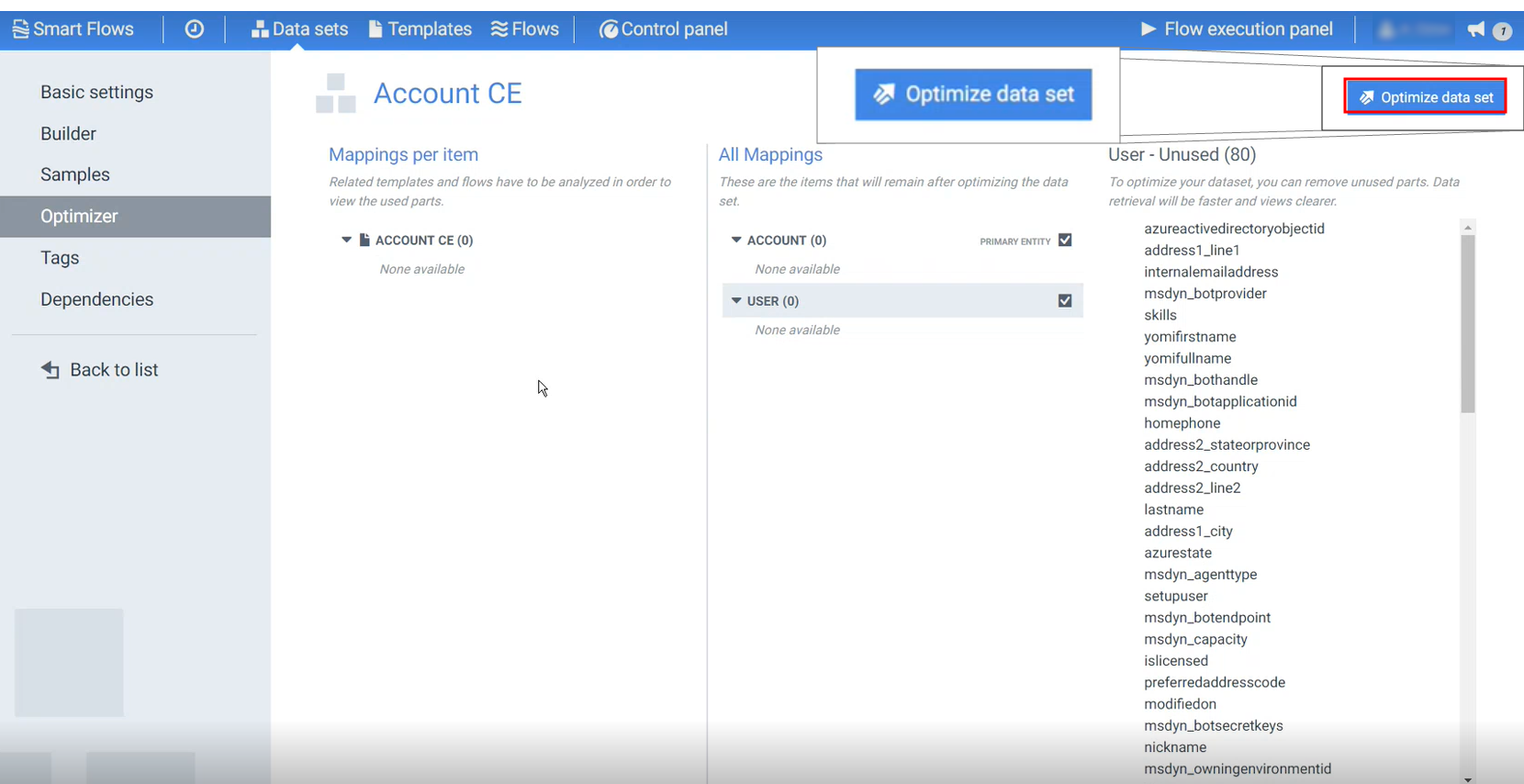
| 5. | Select Optimize. |
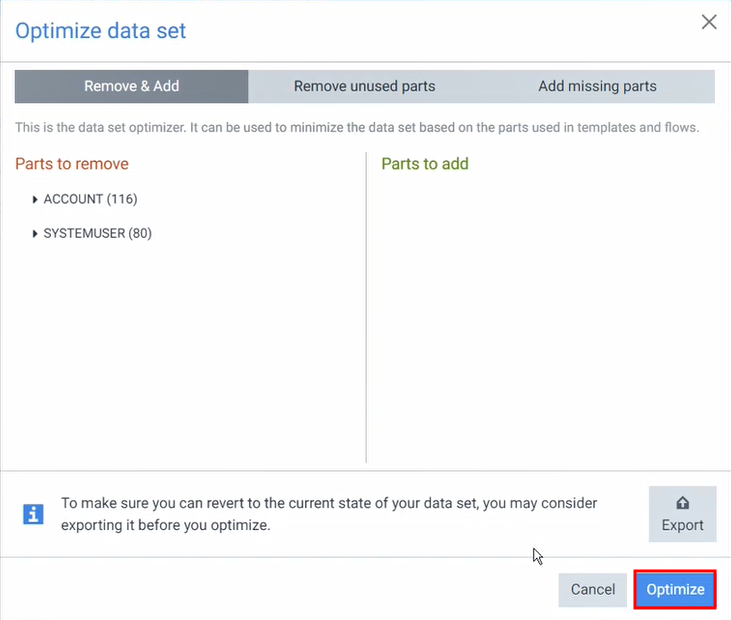
The page refreshes, and the Mapping- Unsued (#) section no longer displays. The check mark next to PRIMARY ENTITY is displayed in the color green indicating the data set is now optimized.