Convert to e-Invoice
Experlogix Smart Flows allows the user to convert a document into an electronic invoice meeting ZUGFeRD and PEPPOL-BIS 3.0 standards. ZUGFeRD is an e-invoice standard which includes a PDF file with an embedded XML file for each invoice, combining human and machine-readable data into a single PDF, whereas PEPPOL is an e-Invoice standard that is widely followed across Europe. This streamlines the e-Invoice delivery process by providing a standardized network through which companies can securely exchange structured e‑invoices. A sender uploads the UBL‑based invoice—defined by the Peppol BIS specification—to their Access Point, which then transfers it to the recipient’s Access Point for retrieval.
The Smart Flows application includes a Convert to e-Invoice flow block, enabling compliant invoicing between businesses and business to government.
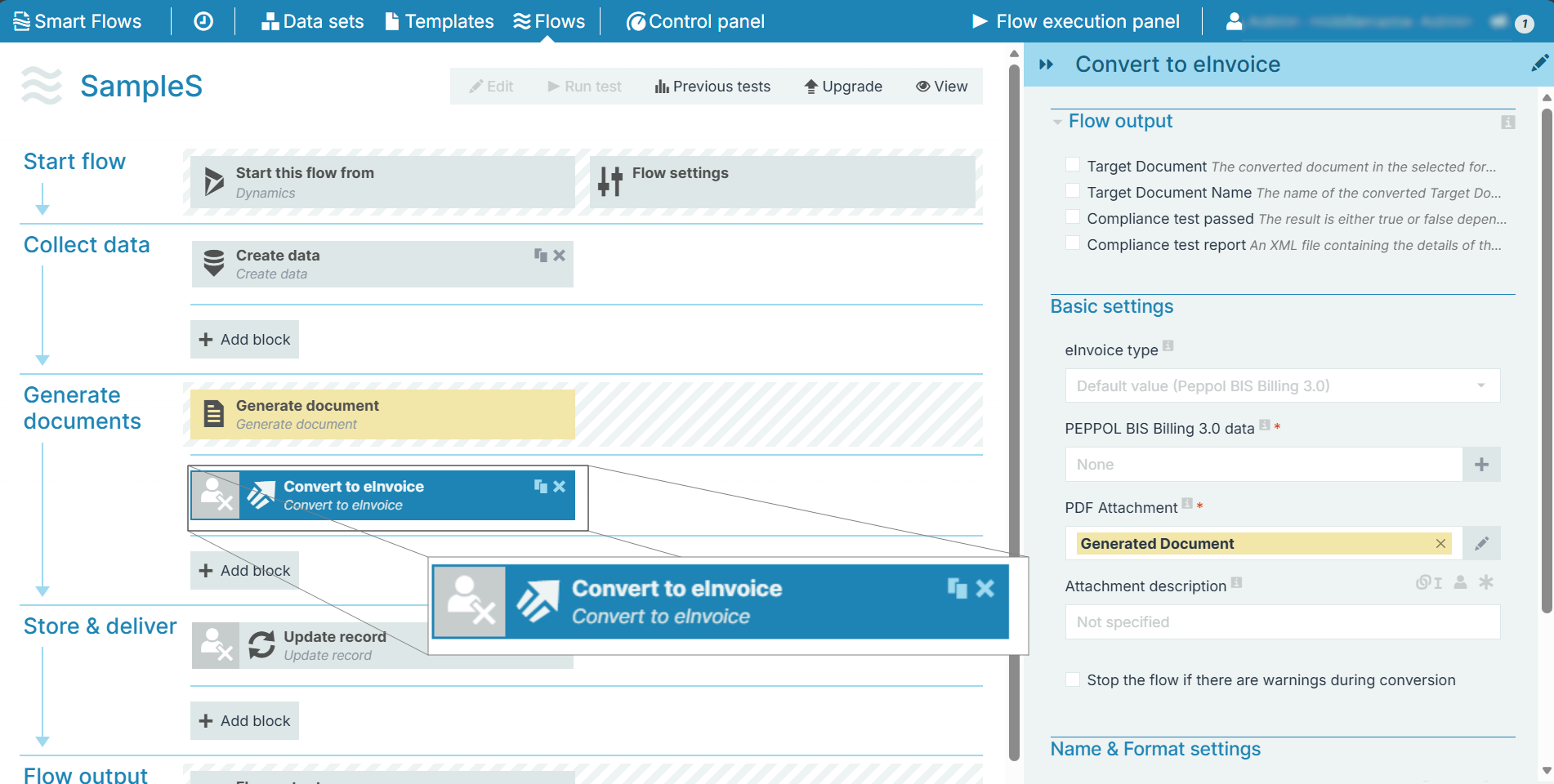
Parameters
 Flow output
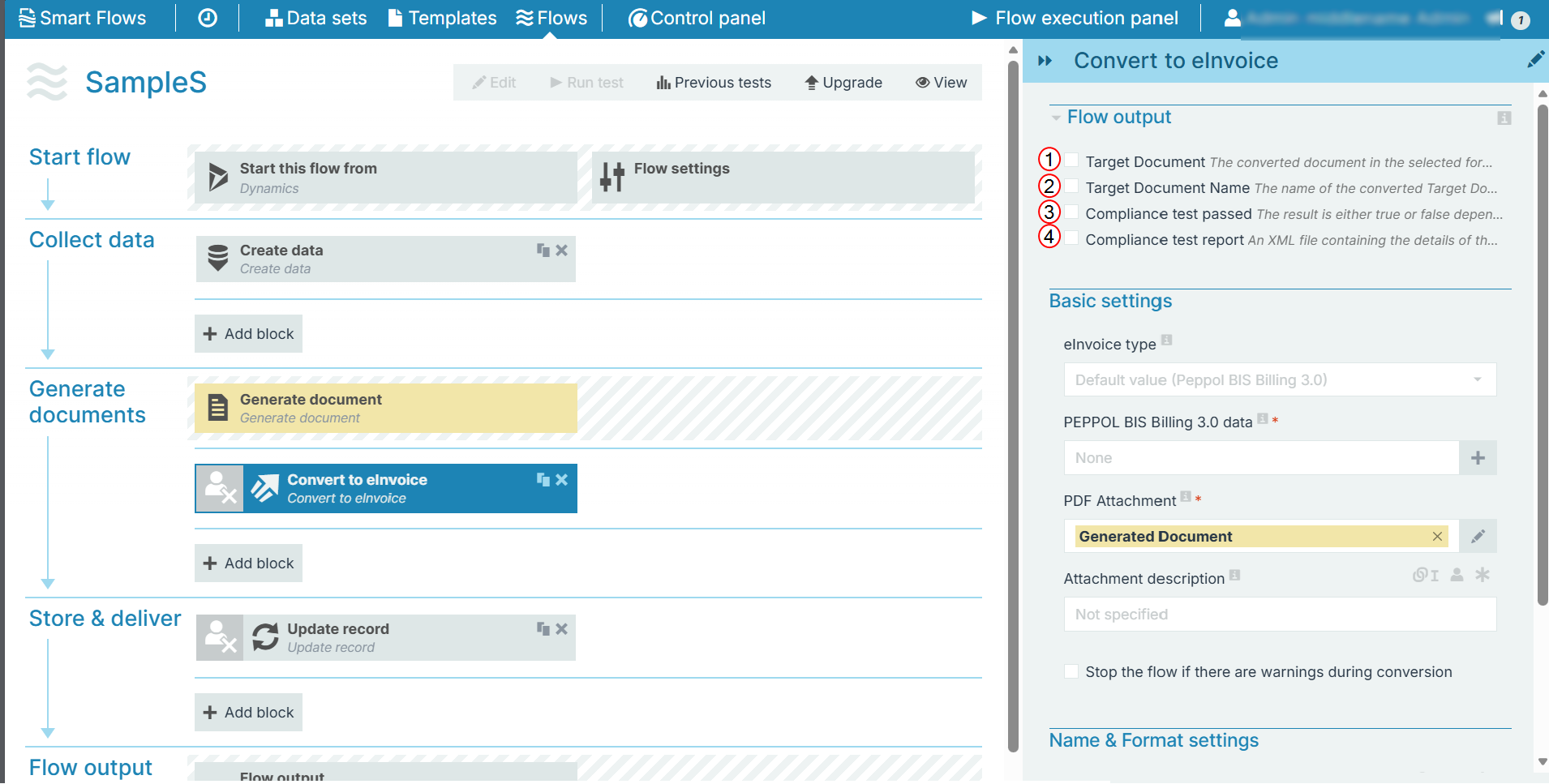
The Flow output section allows you to select the output of the converted file.
|
Index No. |
Component, Control, or Indicator |
Function |
|---|---|---|
|
1 |
Target document |
When checked, a link is provided to the converted document in the flow output. |
|
2 |
Target Document Name |
When checked, the document name of the converted document is displayed in the flow output. |
|
3 |
Compliance test passed |
When checked, the compliance test result is displayed in the flow output. (true/false). |
|
4 |
Compliance test report |
When checked, an XML file containing the details of the compliance test result is provided in the flow output. |
Basic settings
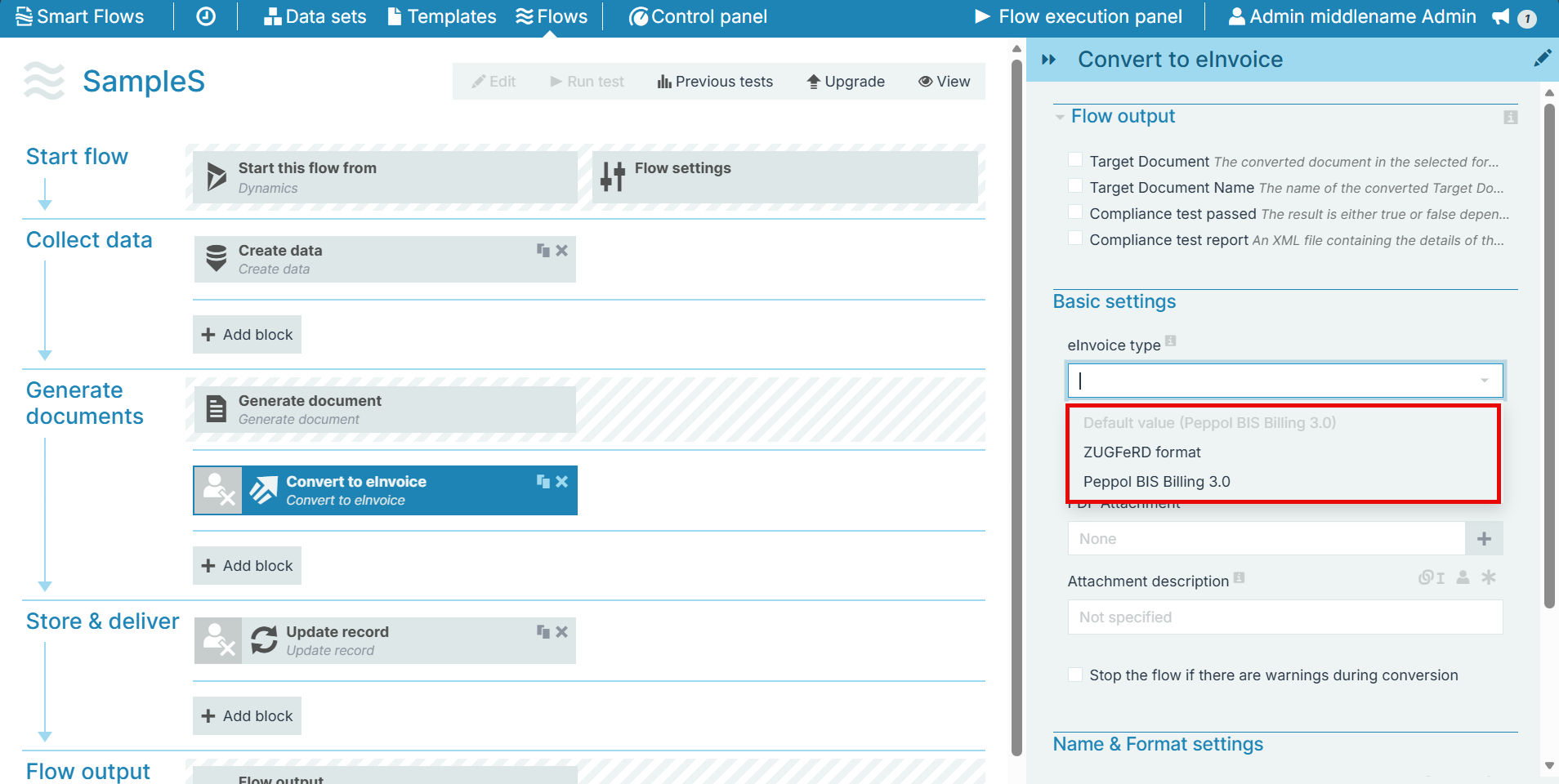
The Basic settings section allows you to select a document and then embed the data for conversion. You must select the eInvoice type to view the corresponding fields:
-
ZUFeRD format
-
Peppol BIS Billing 3.0 (default)
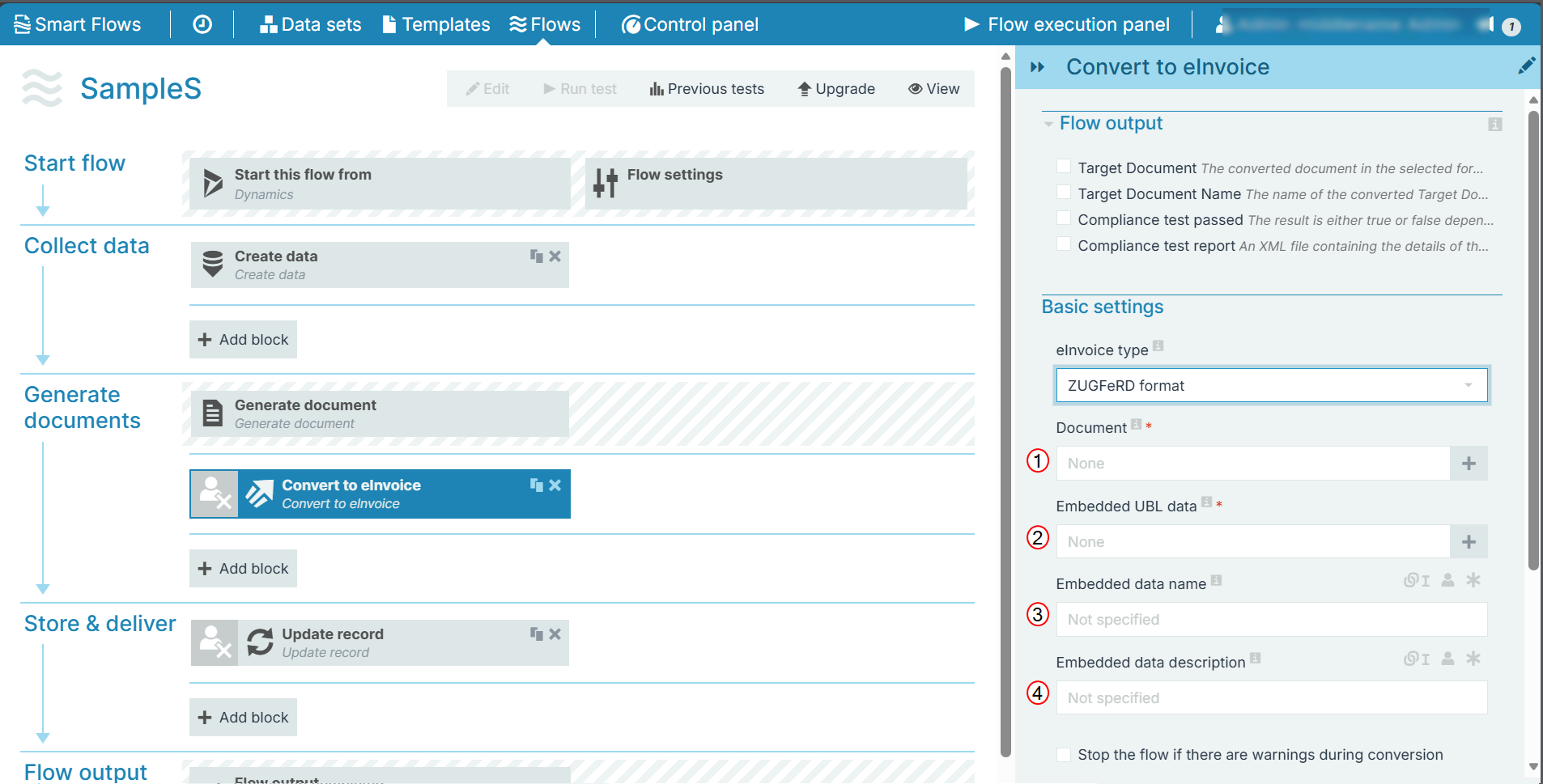
ZUFeRD format
|
Index No. |
Component, Control, or Indicator |
Function |
|---|---|---|
|
1 |
Document |
Map the document for conversion. |
| 2 | Embedded UBL data | Map the data which must be embedded in the document. |
| 3 | Embedded data name | Enter/Map a name for the data embedded. |
| 4 | Embedded data description | Enter/Map a description for the embedded data. |
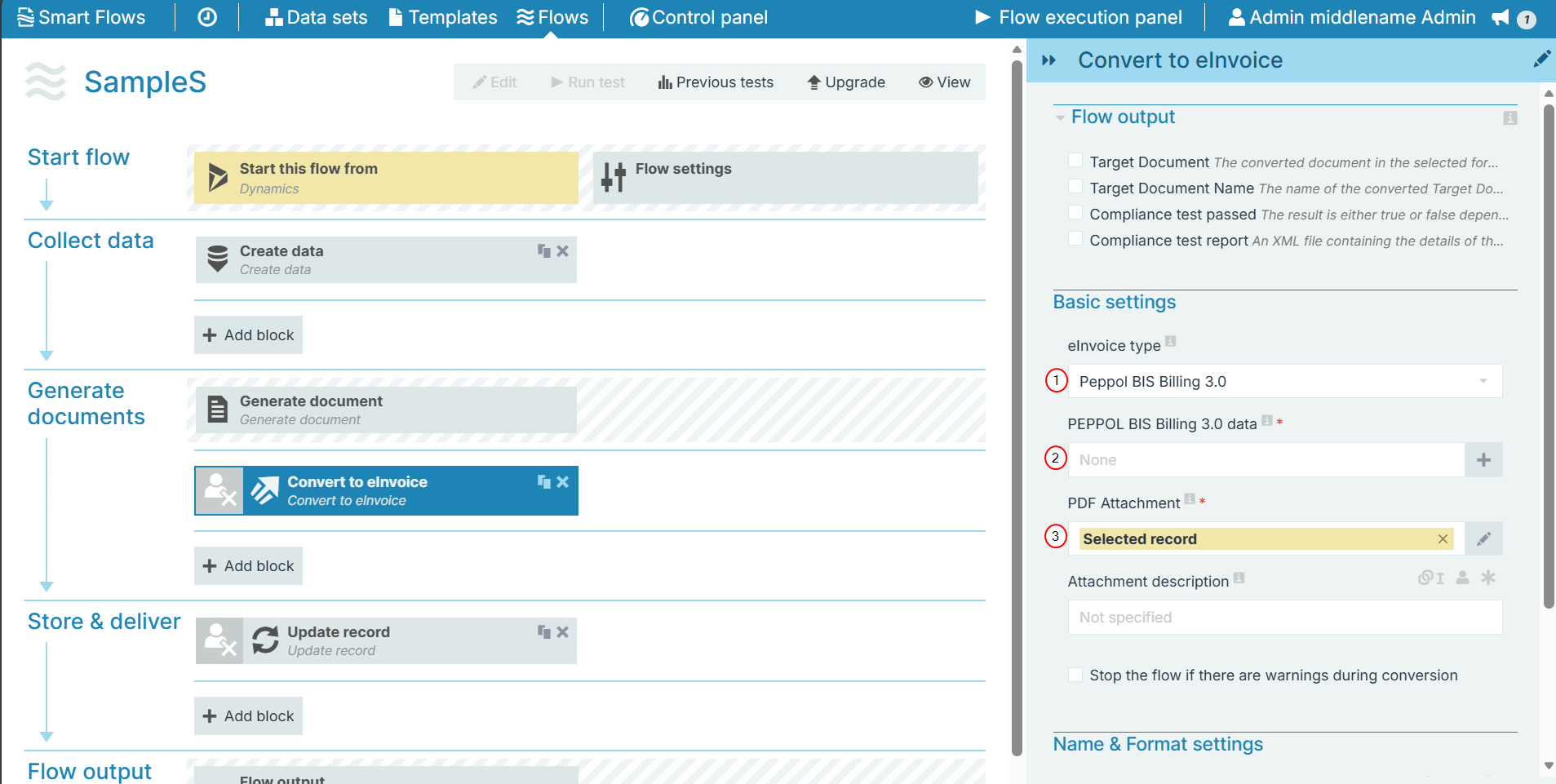
PEPPOL BIS Billing 3.0
|
Index No. |
Component, Control, or Indicator |
Function |
|---|---|---|
|
1 |
PEPPOL BIS Billing 3.0 data |
Map the PEPPOL data required to create e-Invoice. |
| 2 | PDF Attachment | Map record to attach the e-Invoice. |
| 3 | Attachment description | Enter/Map a description for the e-Invoice. |
Check Stop the flow if there are warnings during conversion, incase you come across any warning message so that you can rectify the issue.
Name & format settings
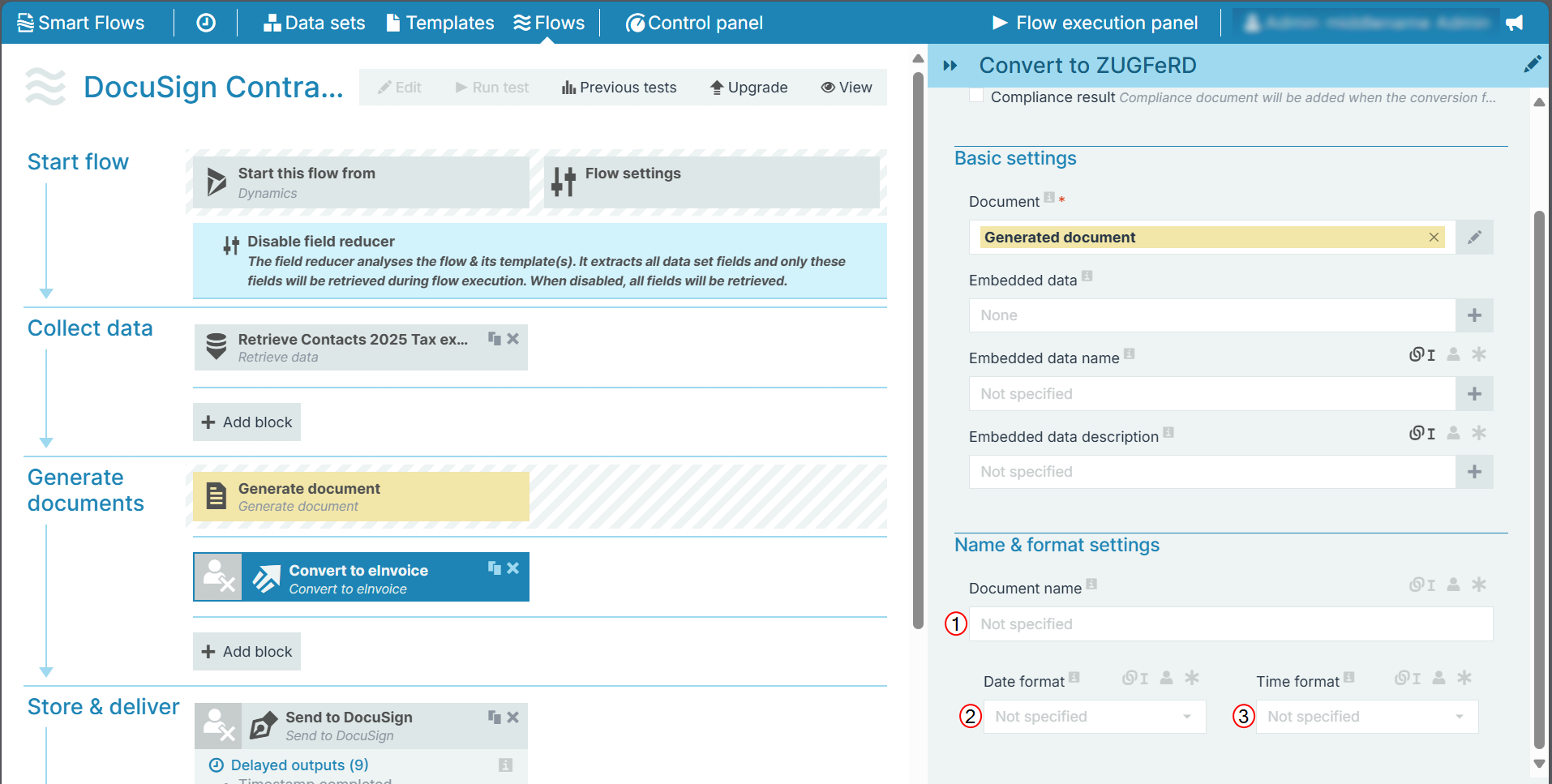
The Name & format settings allows you to set the name, date, and time settings of the document.
|
Index No. |
Field name |
Function |
|---|---|---|
|
1 |
The name of the stored document. |
|
|
2 |
Date format |
Sets the date format. When you make a selection here, a timestamp is added to the name of the document. The timestamp is separated into date and time, but when you link a field here, both the date and time fields can accept all date and time symbols, refer to Date & time patterns for more information. |
|
3 |
Time format |
Sets the time format for the field. |