Data Sets History Tab
The Data Sets History Tab displays versioning and activity history in the dedicated Versions and History sections within this tab.
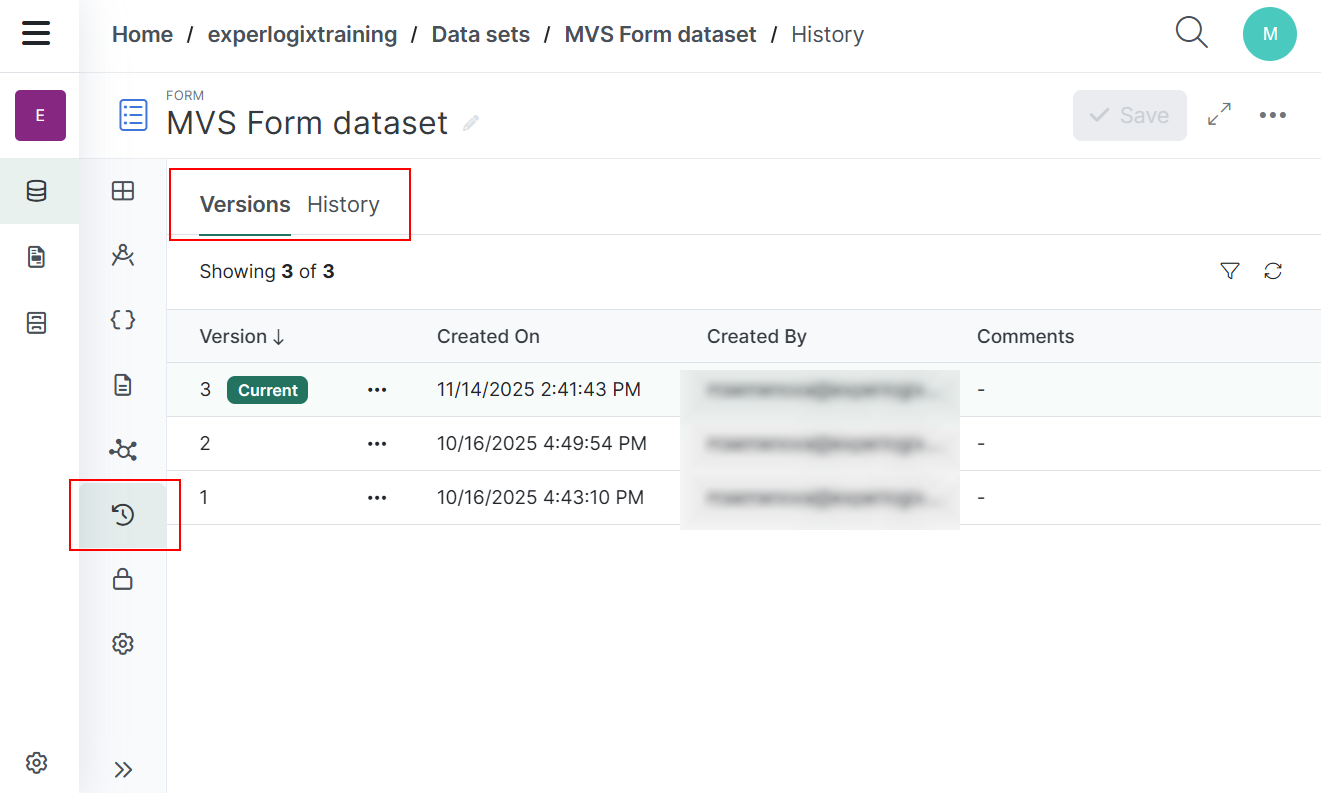
History section
|
Field |
Description |
|---|---|
|
Event |
Displays the user who made the change and the action that was taken. |
|
Date |
Displays the date the action was completed. The system displays time and date to match the viewers local time zone and formatting. |
Versions section
|
Field |
Description |
|---|---|
|
Version |
Displays the Version number of the Data Set. |
|
Created On |
Displays the date the version was completed. The system displays the time and date to match the viewer's local time zone and formatting. |
|
Created By |
Displays the user who made the change. |
|
Comments |
Displays any comments written in the Comment field. |
Add Comments to a Specific Version
You can add a comment to a version. By using the optional comments you can provide context for each data set version.
| 1. | In the Data Set Versions tab, select the ellipsis corresponding to the version you want to add a comment to. |
| 2. | Select Edit comment. |
The Edit comment dialog box displays.
| 3. | In the Edit comment dialog box, enter a comment in the Comment field. |
| 4. | Select Save. |
The new comment is displayed under the Comments column.
Restore a Previous Version
If you want to use a previous version of your Data Set, you can choose that Data Set version and restore it.
| 1. | Select the ellipsis corresponding to the version you want to restore in the Data Set Version tab. |
| 2. | Select Restore. |
The version list updates, and a "Version restored" message appears. The selected version becomes the current version.